Native macOS · 100% offline · No subscription · macOS 14+
Make your scans searchable.
Pagehound — PDF OCR for Mac
Turn image-only PDFs into searchable, copyable PDFs. Pagehound writes an invisible text layer permanently into the file — without touching how your pages look. Nothing gets uploaded.
Version 1.0 · DMG · macOS 14+ · What’s new
Preview can read your scans. Pagehound makes them searchable — everywhere.
macOS Preview’s Live Text recognizes text on the spot, but it never writes anything back into the file. Send that scan to a colleague, open it on Windows, or let Spotlight index it — and the text is gone.
Pagehound embeds a permanent, invisible text layer into the PDF itself. Your pages look pixel-identical, yet the file can be searched, selected, and copied by any app, on any device, forever. That is the difference between temporarily readable and permanently searchable.
-
Written into the file
Not a one-time recognition trick. The text travels with the PDF — to other Macs, to Windows, into any archive.
-
Completely offline
Contracts, medical records, and case files never leave your Mac. No upload, no account, no telemetry.
-
Fixes bad scans itself
Auto-rotate, deskew, and perspective correction rescue the crooked, noisy scans that defeat other tools.
Key Features
Everything needed to turn a pile of scans into a searchable archive — nothing more.
-
A Text Layer That Stays in the File
Pagehound writes an invisible text layer into the PDF itself. Search it with ⌘F, select and copy text, open it on Windows or another Mac — it just works, because the text truly lives in the file.
-
100% Offline, Zero Upload
Recognition runs on Apple’s on-device Vision engine. Contracts, medical records, and case files never leave your Mac — no account, no telemetry, no network requests.
-
Fixes Bad Scans · Pro
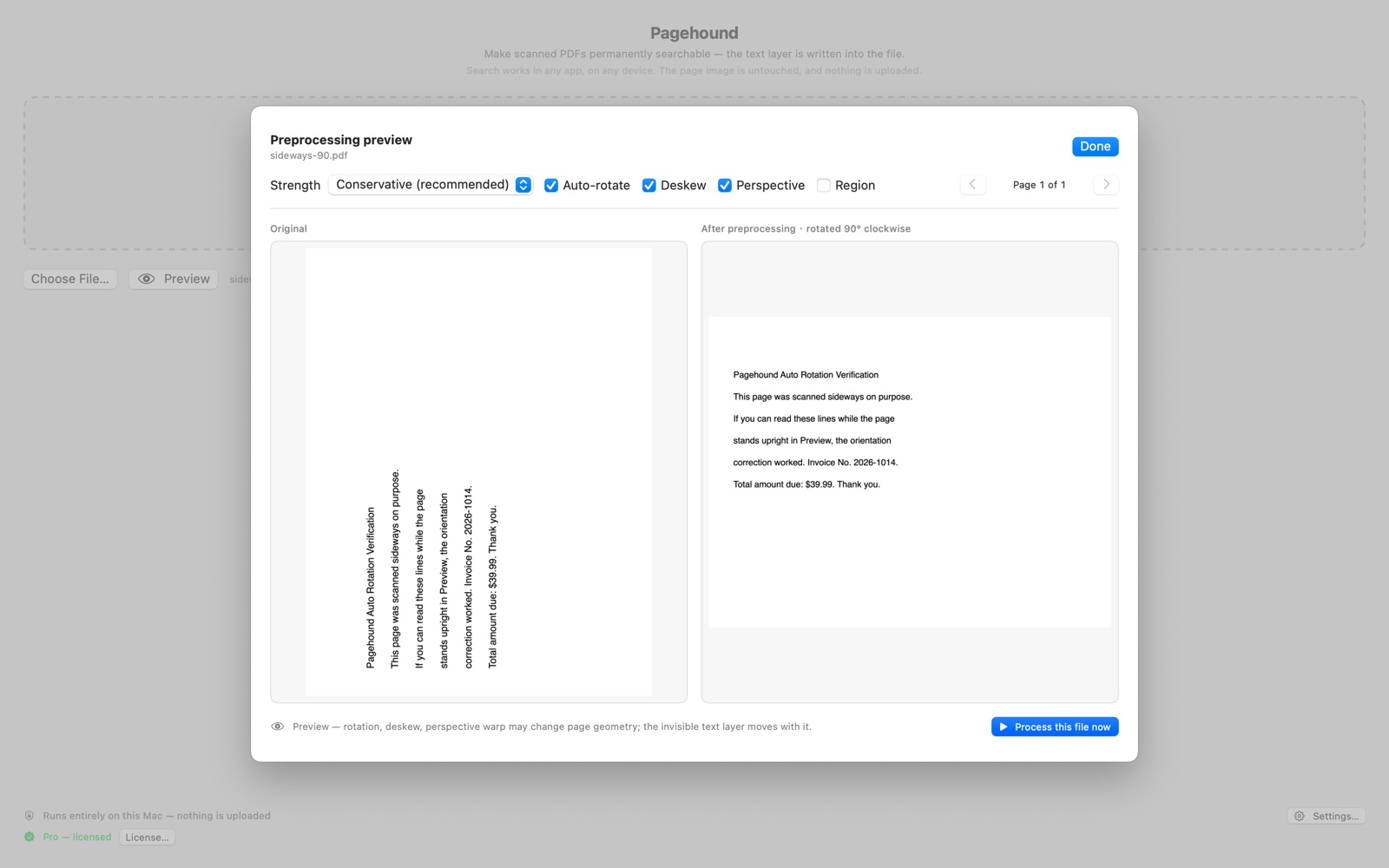
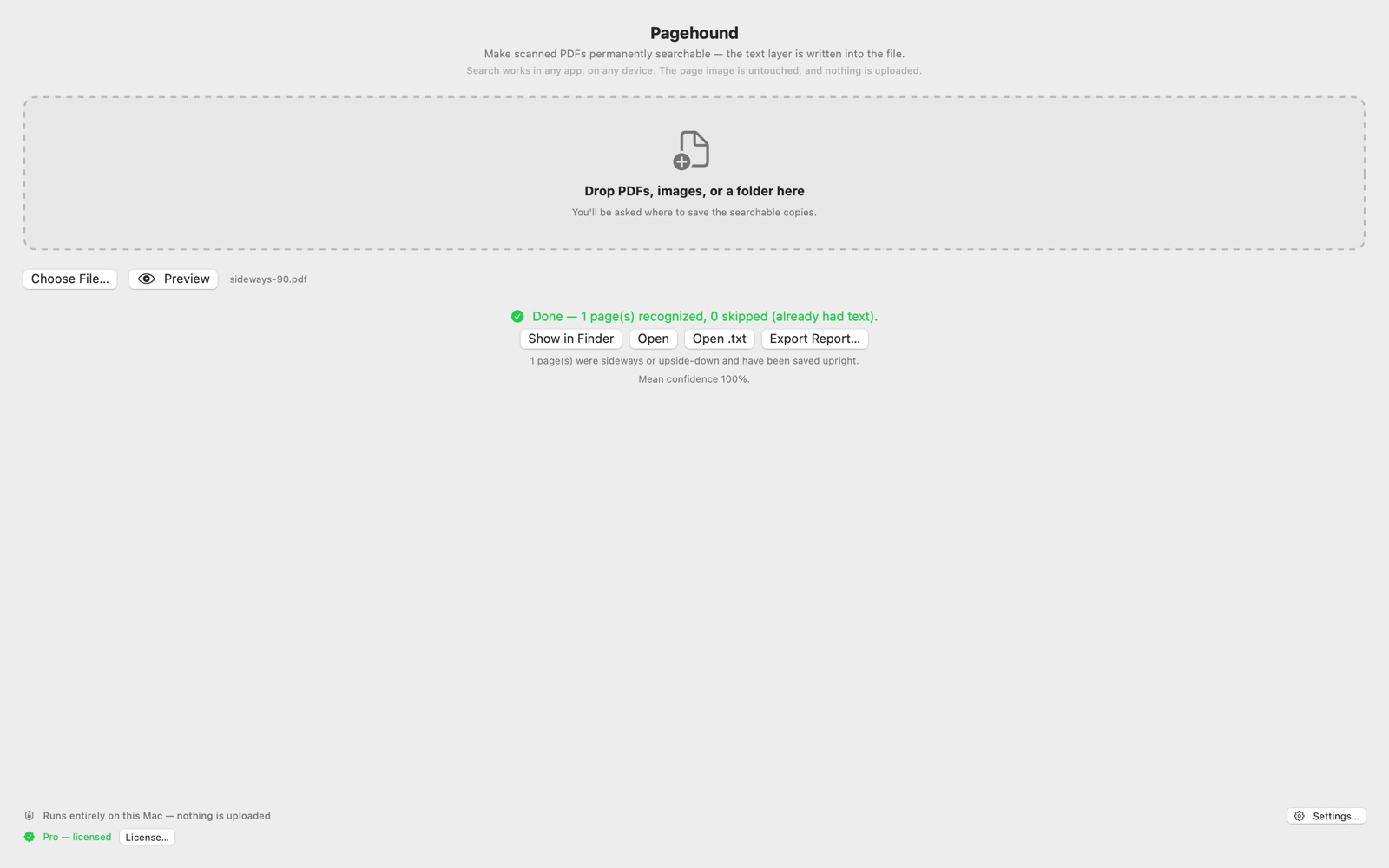
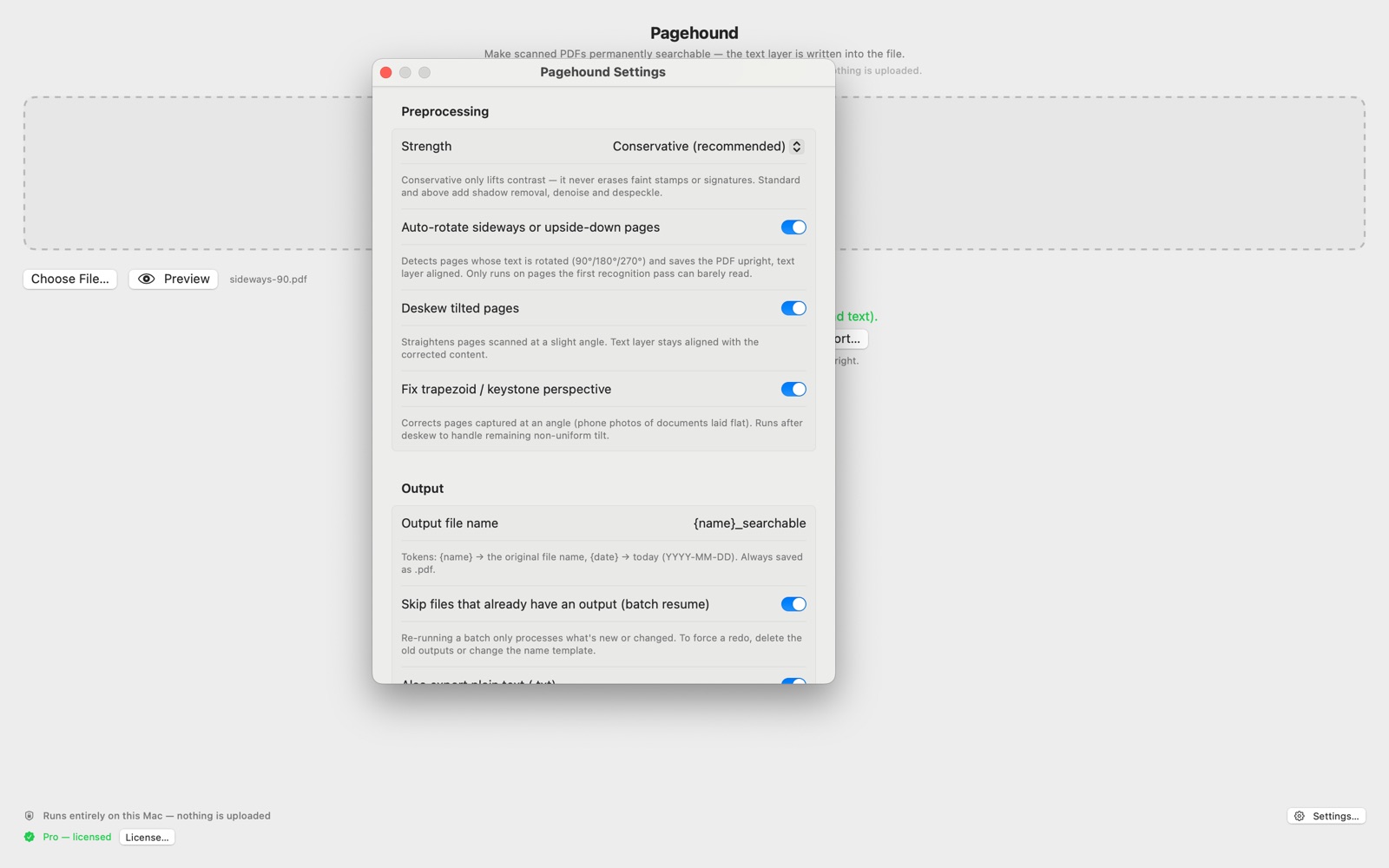
Sideways or upside-down pages are set upright automatically, slightly tilted pages are straightened, and keystone perspective from phone photos is corrected — so recognition succeeds where other tools give up.
-
Batch Processing · Pro
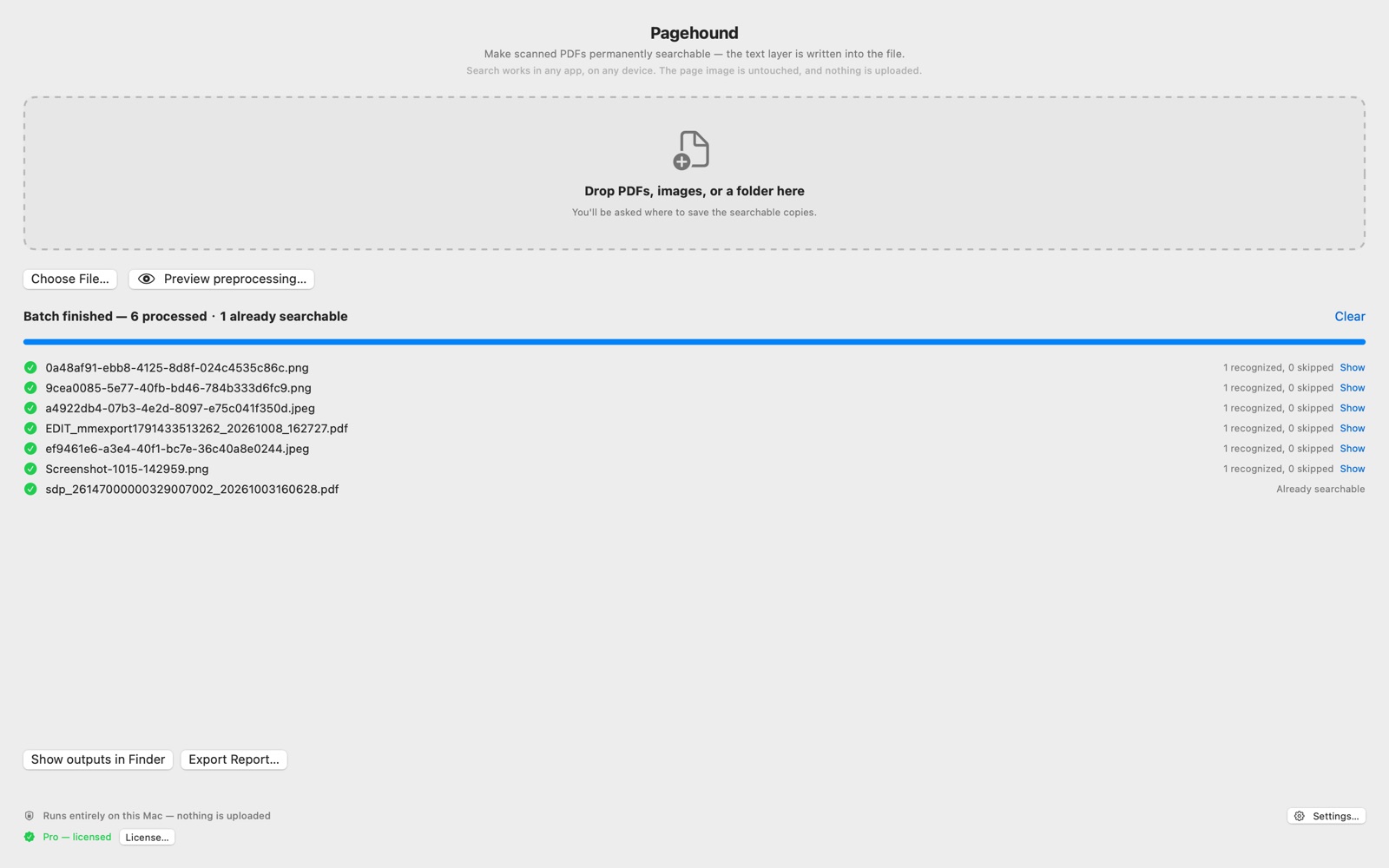
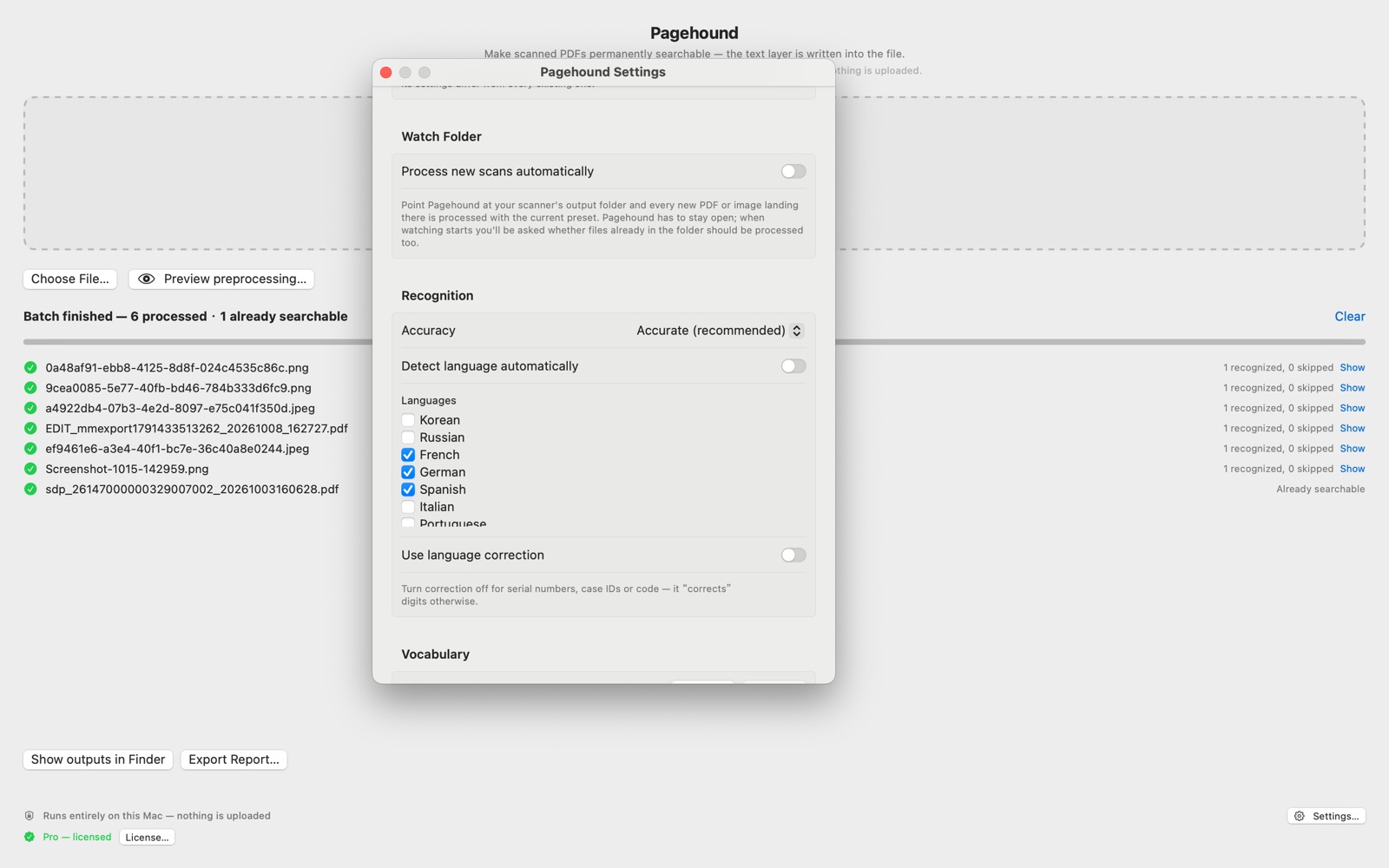
Drop a whole folder and walk away. Controlled concurrency, per-file failure isolation, one-click retry for failures, and resume that skips files already done.
-
Preview Before You Commit
A side-by-side before/after view shows exactly what preprocessing will do, page by page. Four strength levels — the conservative default never erases faint stamps or signatures.
-
Smart Skip
Pages that already contain text are detected and left untouched — no double OCR, no degraded files, and no redundant copies when everything is already searchable.
-
Custom Vocabulary · Pro
Feed it names, case numbers, and domain terminology to boost accuracy on the words that matter in your field. Import and export word lists as .txt or .csv to share across a team.
-
Watch Folder & Automation · Pro
Point Pagehound at your scanner’s output folder and every new scan is processed automatically. Drop files onto the menu-bar icon, or use the Finder right-click service.
-
Images Become Searchable PDFs
PNG, JPG, HEIC, and TIFF go through the same recognition pipeline and come out as searchable PDFs — phone photos of documents included.
-
Your Document, Respected
The original page image is never re-encoded, so file size stays essentially unchanged. Bookmarks and outlines are preserved, and originals are never overwritten — output goes to {name}_searchable.pdf.
-
Reports You Can File
Export a per-file CSV or JSON report: pages processed, pages skipped, confidence levels, and failure reasons. Built for archive and compliance workflows.
-
30+ Languages
Simplified & Traditional Chinese, English, Japanese, Korean, Russian, and more. Multi-select or auto-detect — with a language-correction switch you can turn off for serial numbers and codes.
Why Choose Pagehound
A focused conversion tool that respects your documents and your machine.
- Text layer written into the file — searchable on any device, any app
- Completely offline — nothing is uploaded, ever
- Password-protected PDFs supported
- Keeps your bookmarks and outline intact
- Large-file protection — clear errors beyond 2,000 pages / 500 MB instead of hours of spinning
- PDF/A-ready export for archiving workflows (Pro)
- Optional plain-text .txt sidecar for feeding other tools
- One-time purchase — all v1.x updates included, forever
Pricing
Free for everyday single files. Go Pro when the archive gets serious — one-time purchase, no subscription.
Free
$0
Full-quality OCR for everyday documents. No signup, no watermark, no time limit.
- Single files, first 5 pages per document
- All 30+ languages & accuracy modes
- Plain-text .txt sidecar export
- DPI low-resolution warnings
App Store
Family Sharing$39.99
One-time purchase on the Mac App Store. Tied to your Apple ID.
Everything in Free, plus:
- Unlimited pages & batch processing
- Auto-rotate, deskew & perspective correction
- Custom vocabulary, watch folder & presets
- Apple Family Sharing
Direct (DMG)
3 Macs$39.99
Download from novetool.com. One license for up to 3 Macs.
Everything in Free, plus:
- Unlimited pages & batch processing
- Auto-rotate, deskew & perspective correction
- Custom vocabulary, watch folder & presets
- 1 license, up to 3 Macs, self-service unbind
Secure checkout by Creem · Card, PayPal, Apple Pay & more · License key by email
Lifetime license: one purchase includes all v1.x updates, forever. If a v2 ever ships, it will be a separate product with upgrade pricing for existing customers. Activation is verified offline — no forced internet checks.
Built for search — honestly.
Pagehound is designed to make scans searchable, selectable, and archivable — not to replace manual data entry. On clean printed text, recognition is excellent; on degraded scans, individual characters can still be misread. For contracts and records, always verify critical numbers against the original image — which Pagehound deliberately leaves untouched.
Who is it for
For anyone whose paper trail needs to become a searchable archive.
- Legal & Compliance
- Records & Archives
- Admin & Claims
- Medical Records
- Researchers & Students
- Journalists
- Small Business Owners
- Anyone with a scanner
Screenshots
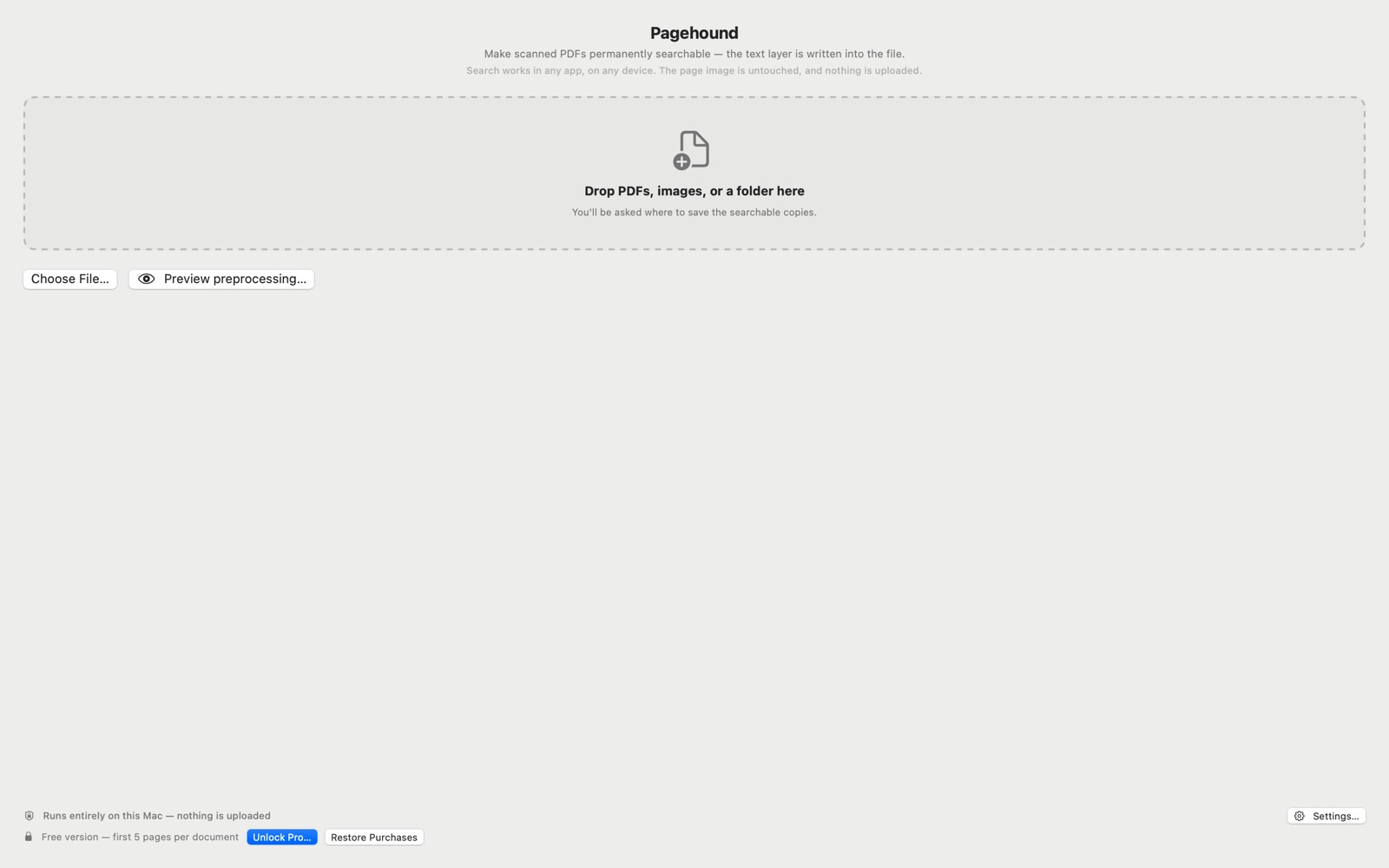
A single-window app built around one job: drop files in, get searchable PDFs out.
Your scanner did half the job
Download Pagehound free and make your first scans searchable in minutes — entirely on your Mac, with nothing uploaded. Upgrade once if you need batch and automation.