Native macOS · Free to start · No subscription · macOS 12+
Renamely
Batch Rename Files on Mac
A lightweight native Mac app for batch renaming. Prefix, suffix, sequence numbers, case conversion, and find & replace are free — with no file-count limit. Go Pro when you need EXIF date naming, regex, recursive subfolders, and presets.
Version 1.0.2 · DMG 1.3 MB · macOS 12+ · What’s new
photo.jpg → 001_photo.jpg
design.png → 002_design.png
video.mov → 003_video.mov
draft.psd → skipped
Key Features
Everything you need to batch rename files — without unnecessary extras.
-
Seven Rename Strategies
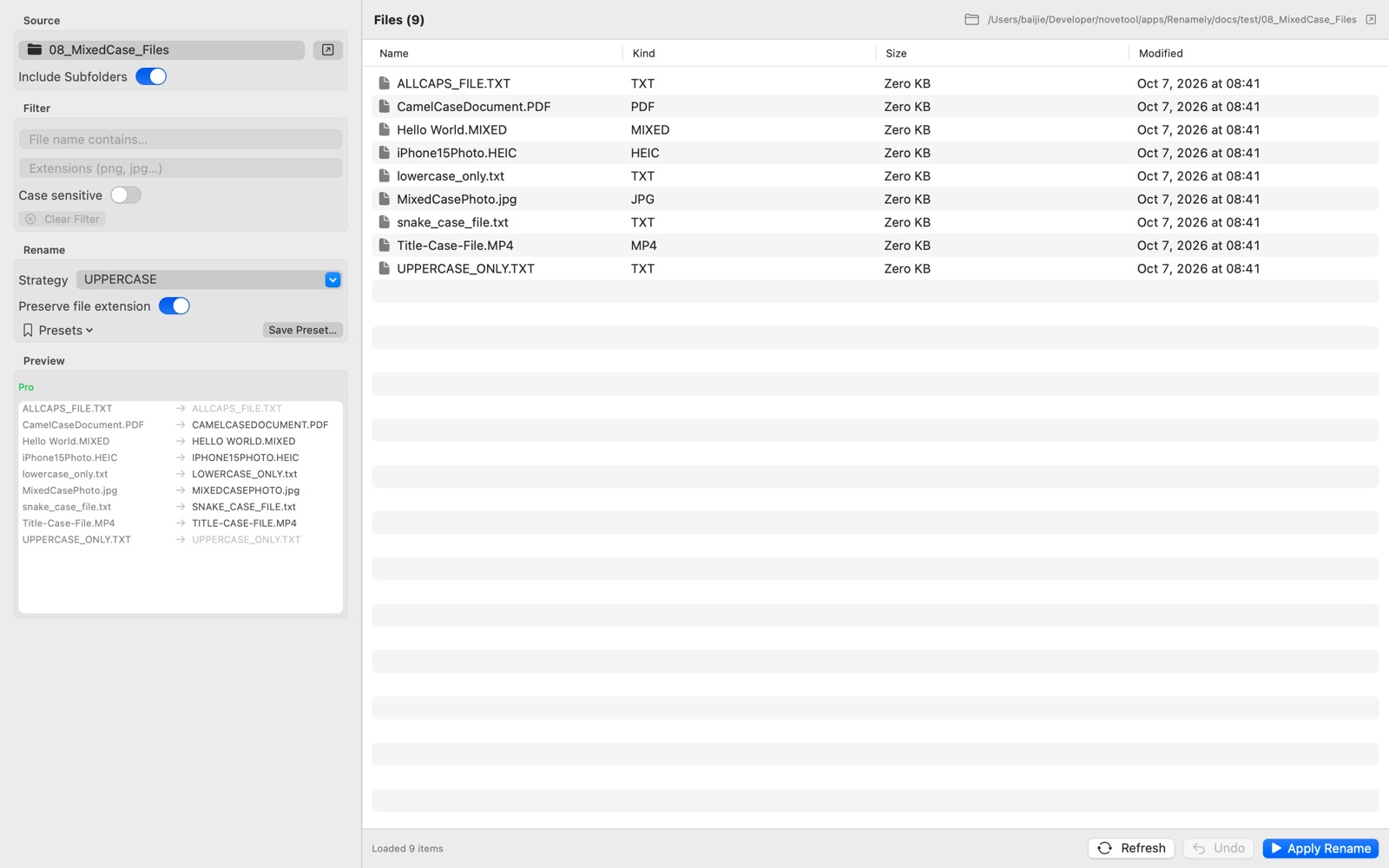
Add prefix or suffix, prefix/suffix sequence numbers, UPPERCASE/lowercase, find & replace, and date-based naming. One focused strategy at a time — predictable and never confusing.
-
Sequence Numbering
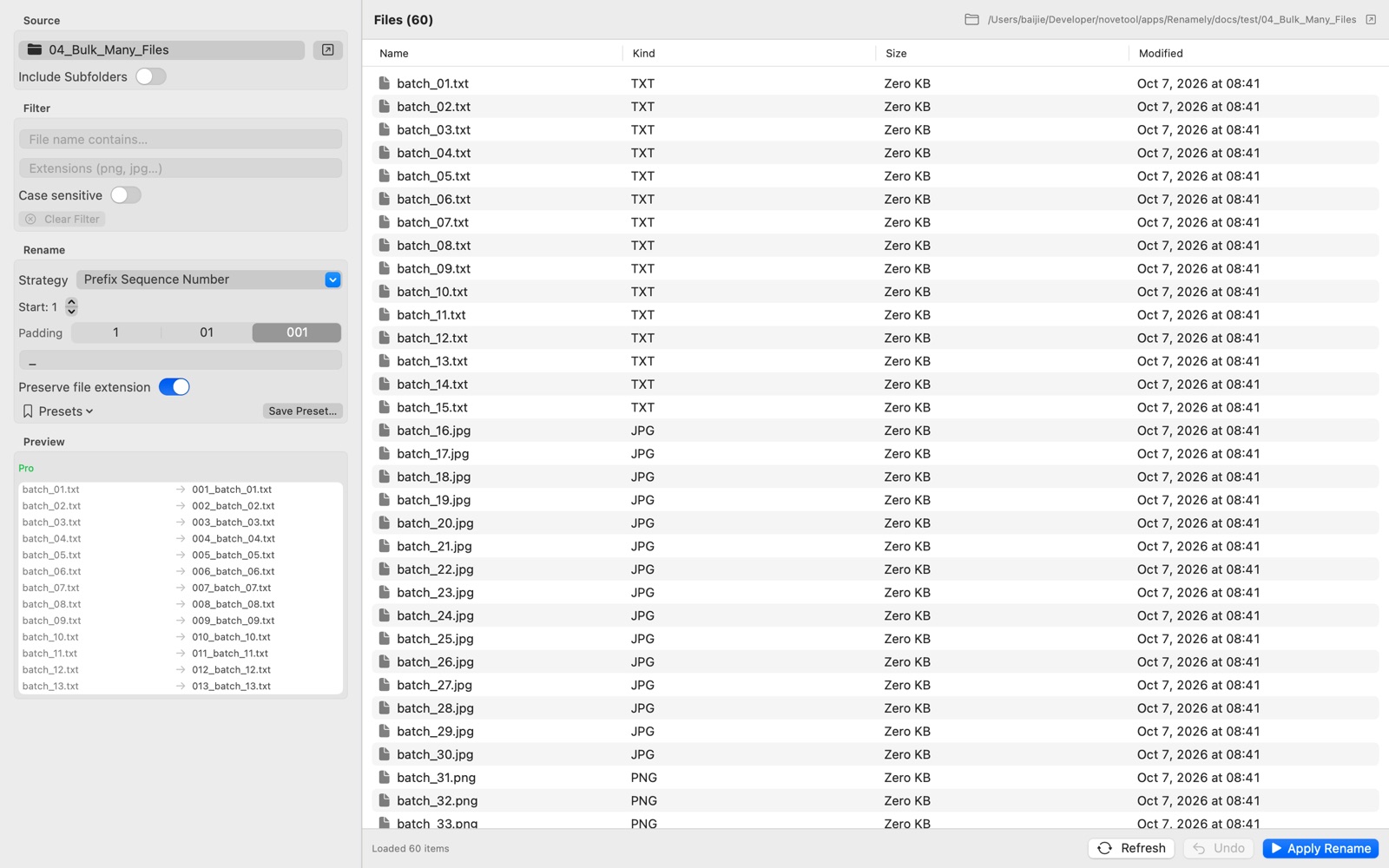
Custom start number, 1–3 digit zero padding (1, 01, 001), and your own separator. Suffix numbers always land before the extension: Photo_001.jpg.
-
EXIF Shooting-Date Naming · Pro
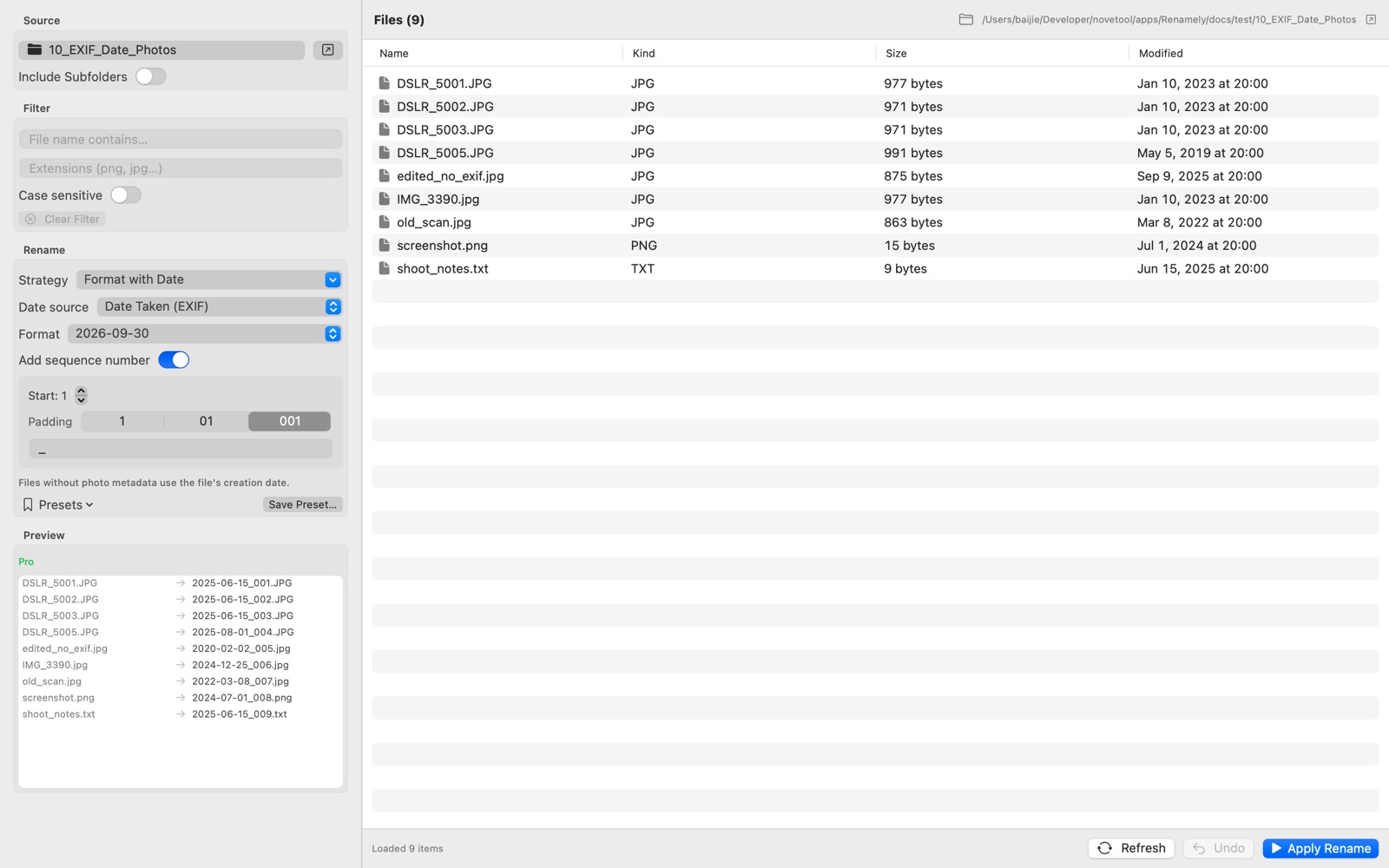
Turn camera files into tidy archive names like 2026-05-10_001.jpg. Uses the EXIF Date Taken, falling back to the file date when no metadata exists — JPEG, HEIC, TIFF, and camera RAW supported.
-
Flexible Date Sources · Pro
Name by Date Taken (EXIF), file creation date, or file modification date. Choose preset formats (2026-09-30, 2026_09_30, 20260930, 2026-09), keep the sequence, or insert the date around the original name.
-
Find & Replace with Regex
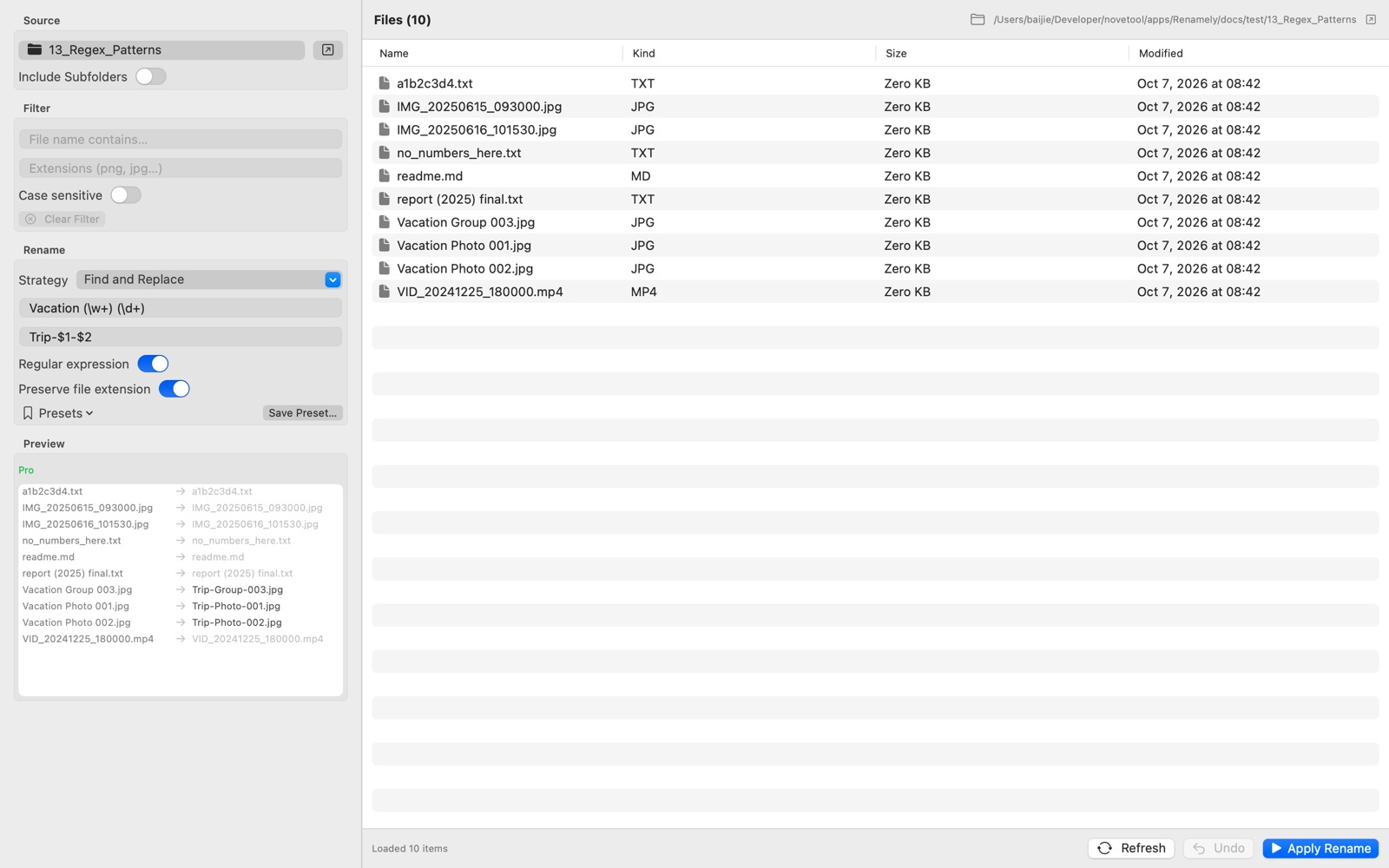
Replace text across hundreds of filenames instantly. Plain text replacement is free — switch on regular expressions with capture-group templates for power-user rewrites (Pro).
-
Include Subfolders · Pro
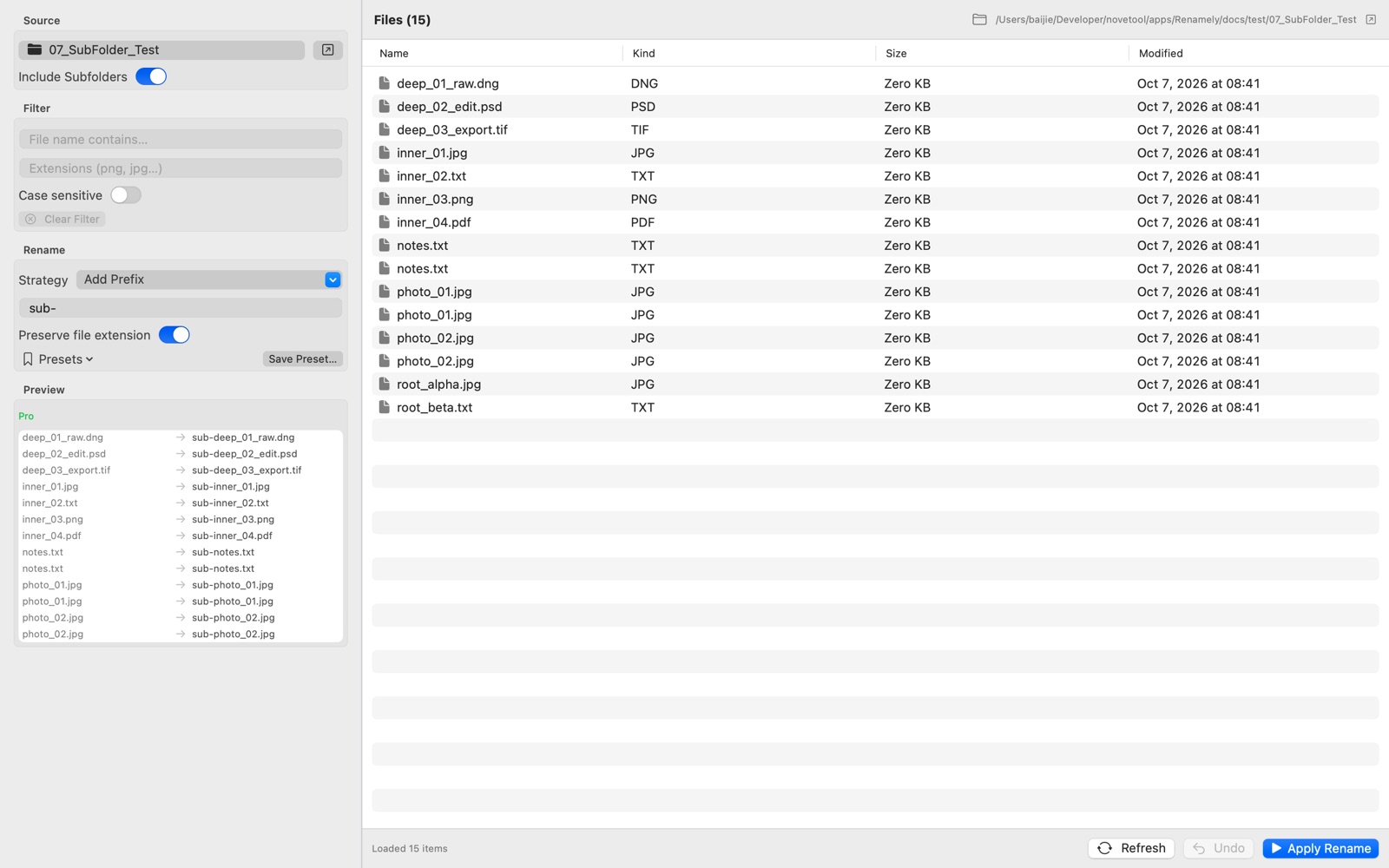
Recursively rename files inside subfolders, in place. Your folder structure is never flattened, and same-named files in different folders never collide.
-
File Filtering
Narrow the list before you rename: filter by name text with optional case matching (free), or by multiple extensions at once (Pro). Only the matching files get renamed.
-
Presets · Pro
Save an entire setup — strategy, parameters, filter, and recursion — as a one-click preset. Repeating workflows become a single action.
-
Real-time Preview
See the final name of every file before anything is touched. Drag to reorder the list and the sequence numbering follows your order.
-
Conflict Detection & Undo
Collisions are resolved automatically by appending (1) — never an overwrite. Every batch is reversible, ten batches deep, and undo only touches files that were actually modified.
-
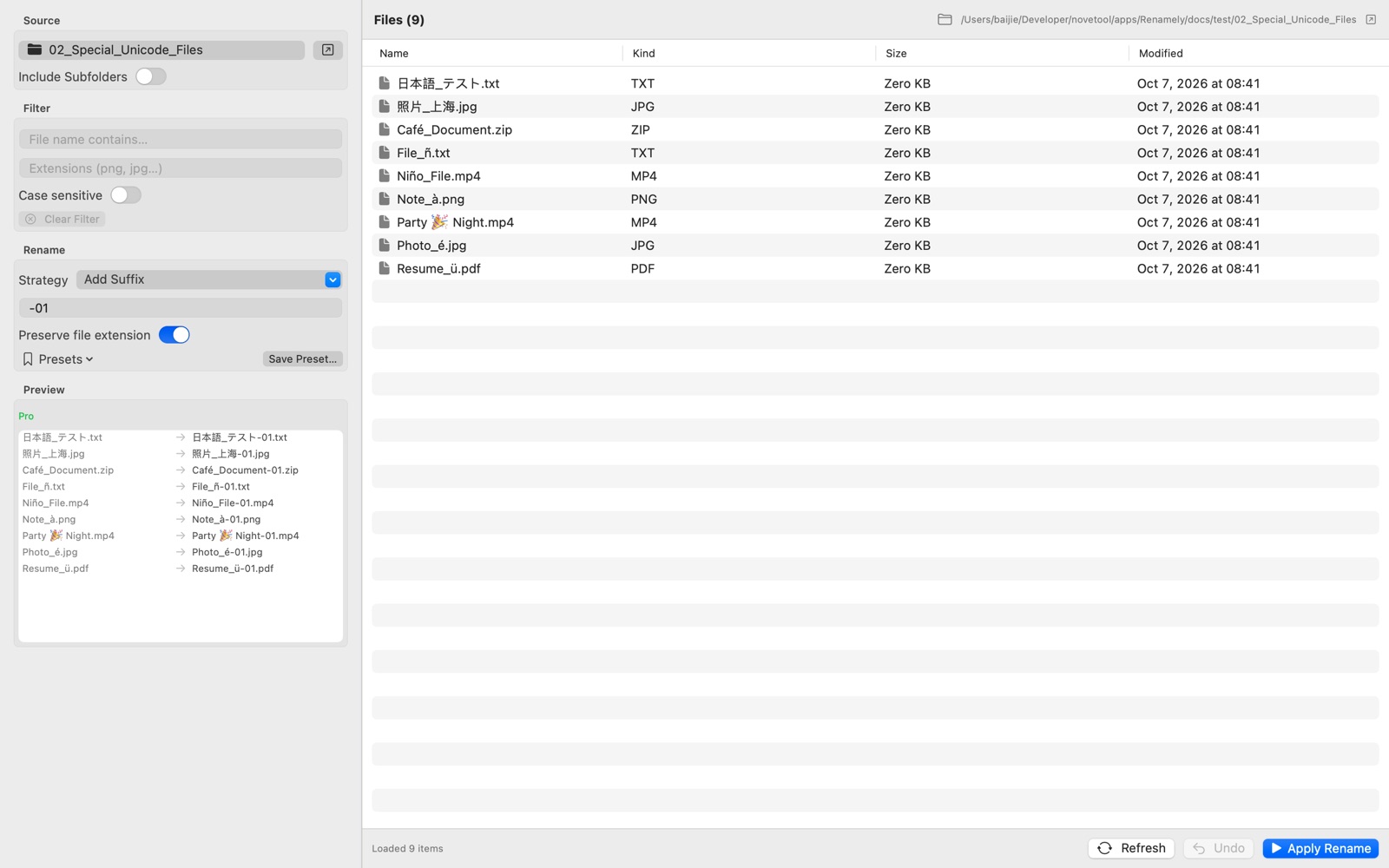
Unicode & Emoji Safe
NFC and NFD encodings handled correctly: é, ü, ñ, 日本語, and 🎉 all survive renaming without corruption. Long names, mixed languages, and emoji are no problem.
-
Native & Private
Pure SwiftUI, Universal binary, instant launch, zero background processes. Everything runs locally on your Mac — the App Store build contains no networking code at all.
Why Choose Renamely
A focused utility that respects your machine and your files.
- No ads, no background daemons, no telemetry
- 100% local processing — your files never leave your Mac
- Drag & drop reordering — numbering follows your custom order
- Keyboard shortcuts: ⌘O open · ⌘P preview · ⌘⇧R rename · ⌘Z undo
- Universal binary — native on both Intel and Apple Silicon Macs
- Supports macOS 12 Monterey and later
Pricing
Start free with no file-count limit. Unlock Pro once — use it forever. No subscription.
Free
$0
The core renamer, free forever. No time limit, no signup, no file-count limit.
- Unlimited files per batch
- Prefix, suffix & sequence numbers
- Case conversion & find & replace
- Preview, conflict detection & undo
App Store
Family Sharing$14.99
One-time purchase on the Mac App Store. Tied to your Apple ID.
Everything in Free, plus:
- EXIF date naming & date sources
- Regex replace, subfolders, extension filter, presets
- Apple Family Sharing
- Free updates
Direct (DMG)
3 Macs$14.99
Download from novetool.com. One license for up to 3 Macs.
Everything in Free, plus:
- EXIF date naming & date sources
- Regex replace, subfolders, extension filter, presets
- 1 license, up to 3 Macs, self-service unbind
- Free updates
Secure checkout by Creem · Card, PayPal, Apple Pay & more · License key by email
Who is it for
Designed for anyone who handles files at scale on macOS.
- Photographers
- Designers
- Video Editors
- Content Creators
- Office Users
- Anyone managing bulk files on Mac
Screenshots
A clean, focused interface built around the rename operations you actually use.
Rename files in seconds
Download Renamely free — no signup, no file-count limit. Renamely runs locally on your Mac, processes even large batches instantly, and never uploads a single file.